MOOD MIRROR: PLANNING
In Andreas’ weekly email, he tasked us to plan a “task” with a clear goal and a defined path toward achieving it. He broke it down into three stages:
① Problem/Objective — a specific problem to solve or objective to achieve
② Skills — apply existing skills and methods
③ Outcome — a clear and predictable result (e.g. a zine, a video, an interface, a tool)
Initially, I found this challenging. After the previous consultation, I was feeling slightly demoralised and uncertain about how to move forward.Do I try out a different method? But that’s another round of experimenting. Do I improve on my previous experiment and have something out of it? I am afraid I would be just “playing around”...
To make the planning process easier, I referenced the example that Andreas provided in his email and adapted it to suit my “task”. I challenged myself to create a visualiser that makes an individual aware of their emotions or mood.
① Objective: To create a series of TouchDesigner visuals based on three emotions — Happiness, Anger and Sadness
② Skills: To use Mediapipe’s Facial Tracking to detect facial expressions and TouchDesigner CHOP nodes to convert data to switch between visuals
③ Outcome: To present these visuals in an interactive “mirror” screen format
I was inspired by the following precedents that came about this idea.
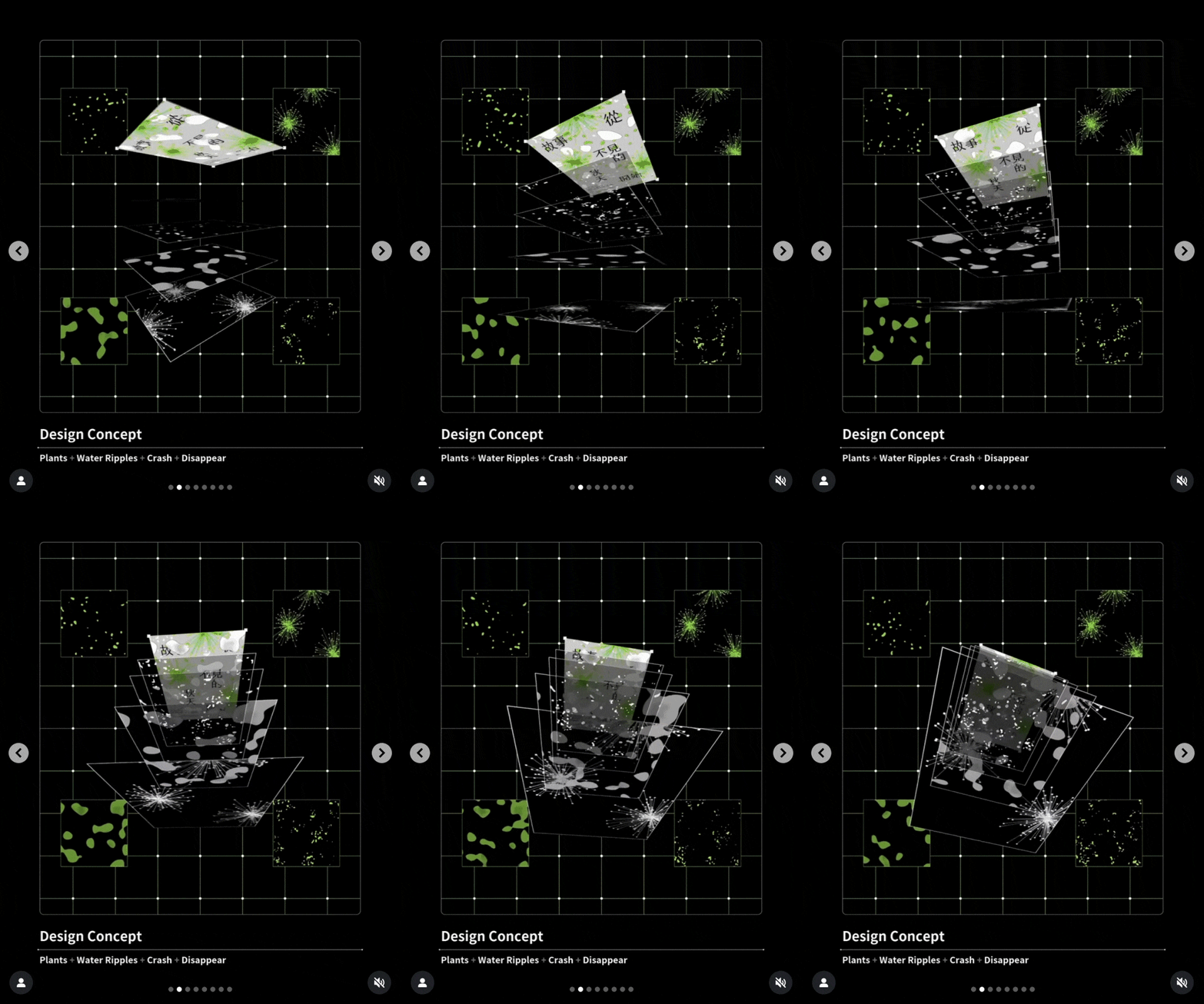
One of my inspirations was Once Upon a WonderFALL Time, an animated poster created by @pepepepebrick for an exhibition about climate change. It uses layered visuals created in TouchDesigner to create a rich, atmospheric composition. I admired how each element complemented the others and wondered what if these visuals were instead representations of emotions?
Another reference was Mirror Ritual by Dr Nina Rajcic and Professor Jon McCormack. This affective interface engages users by generating mahine-written poems that reflect their emotional state. I was fascinated by the concept of emotion recognition, but personally, I found the poem output takes too much effort to interpret. For my own “task”, I wanted something more immediate — a system where emotions are visualised directly through imagery rather than text.
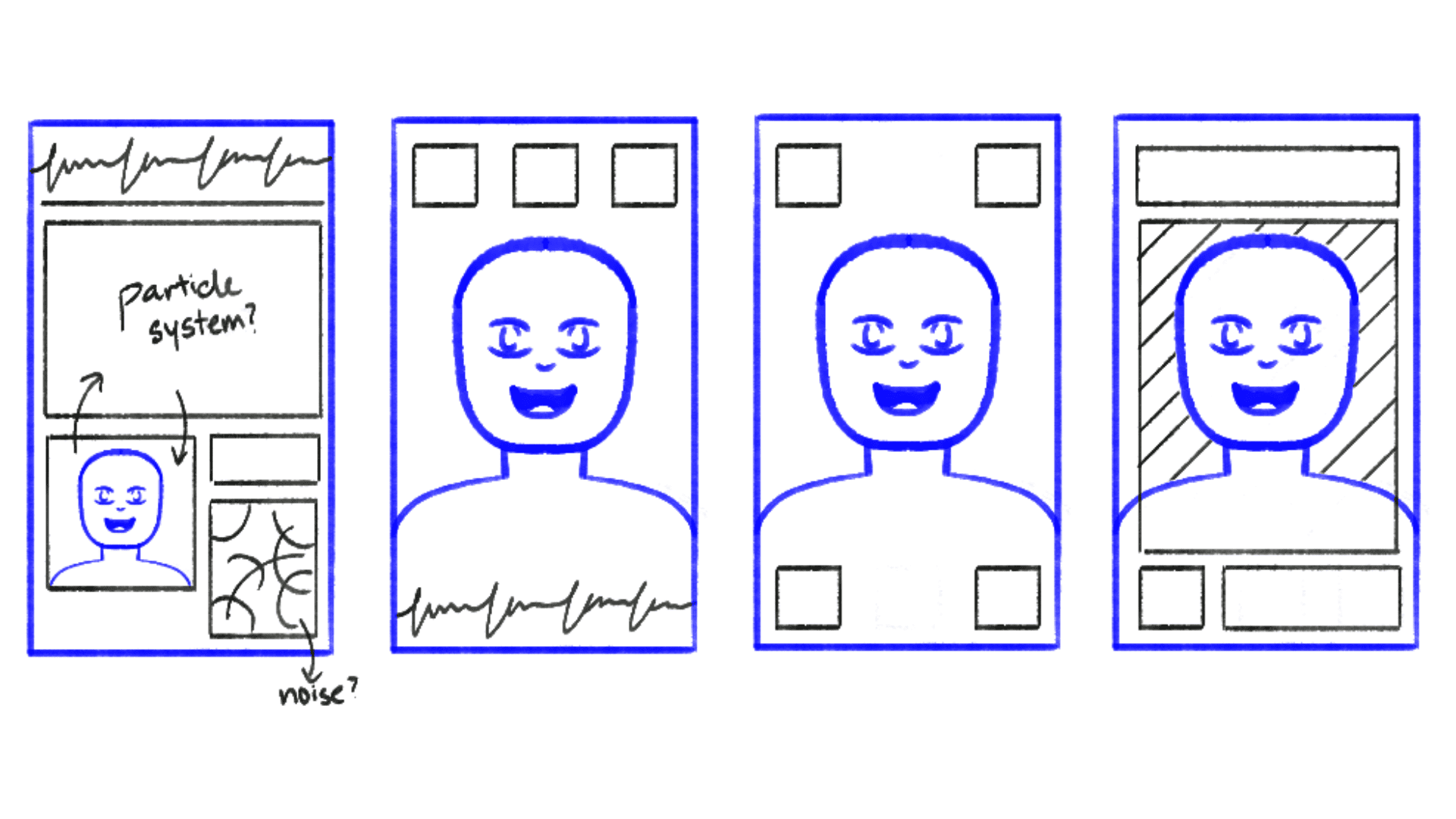
Initially, I planned to structure the interactive screen in a modular layout, fitting bot the camera input and visuals within consistent margins. However, I later decided the screen should function more like an actual mirror, where the emotional visuals overlay directly onto the subject’s reflection. This approach felt more immersive and aligned with the concept of emotional awareness.
MOOD MIRROR: MAKING
For this “task”, i decided to focus on three emotions — happiness, anger and sadness. This is to simplify the system before embarking on more emotions and facial expressions later on.
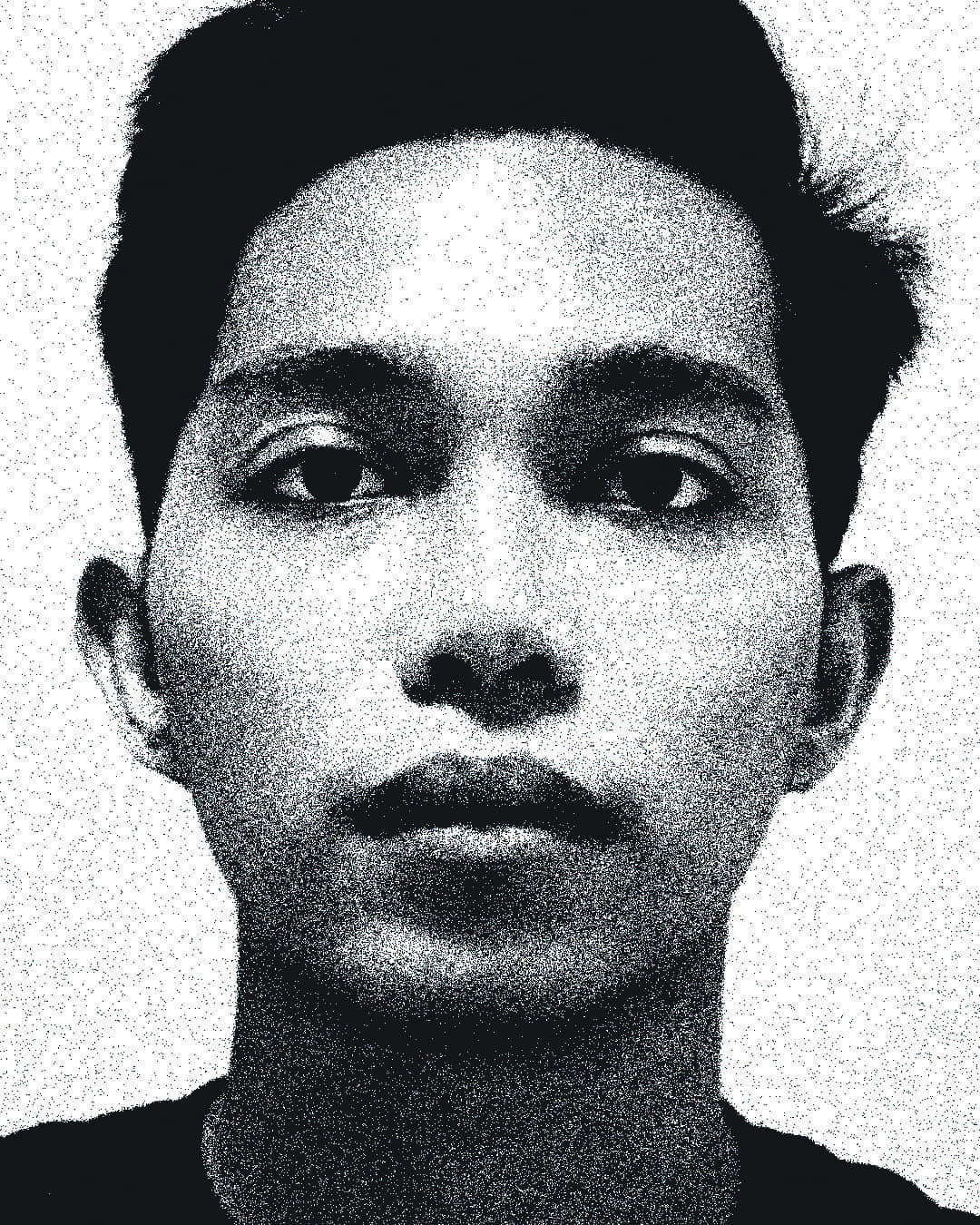
① Neutral: Facial features are relaxed.
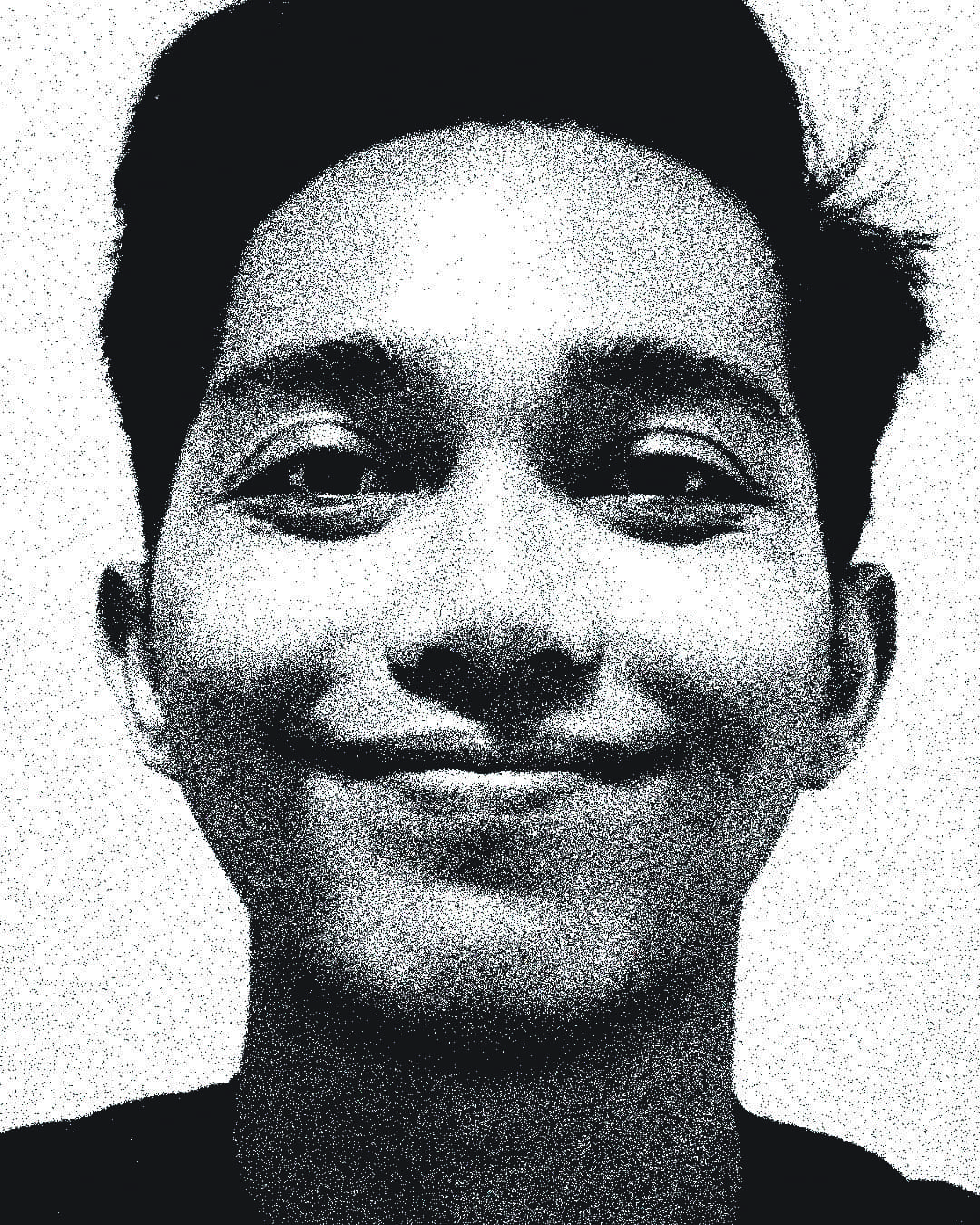
② Happiness: Lip corners drawn back and up; crow’s feet near the eyes; cheeks raised.
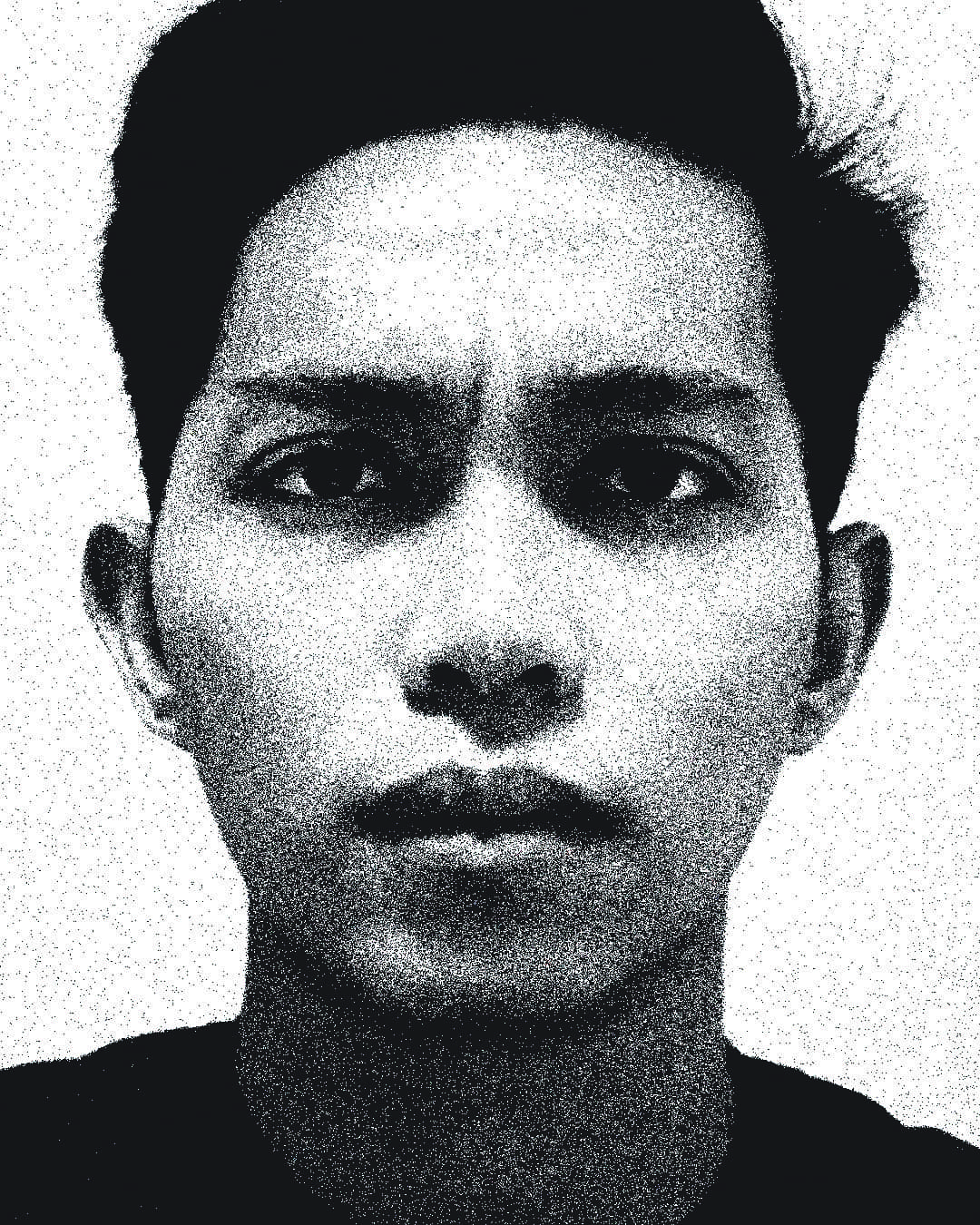
③ Anger: Eyebrows lowered and drawn together; vertical lines between the eyebrows; tense lower lip.
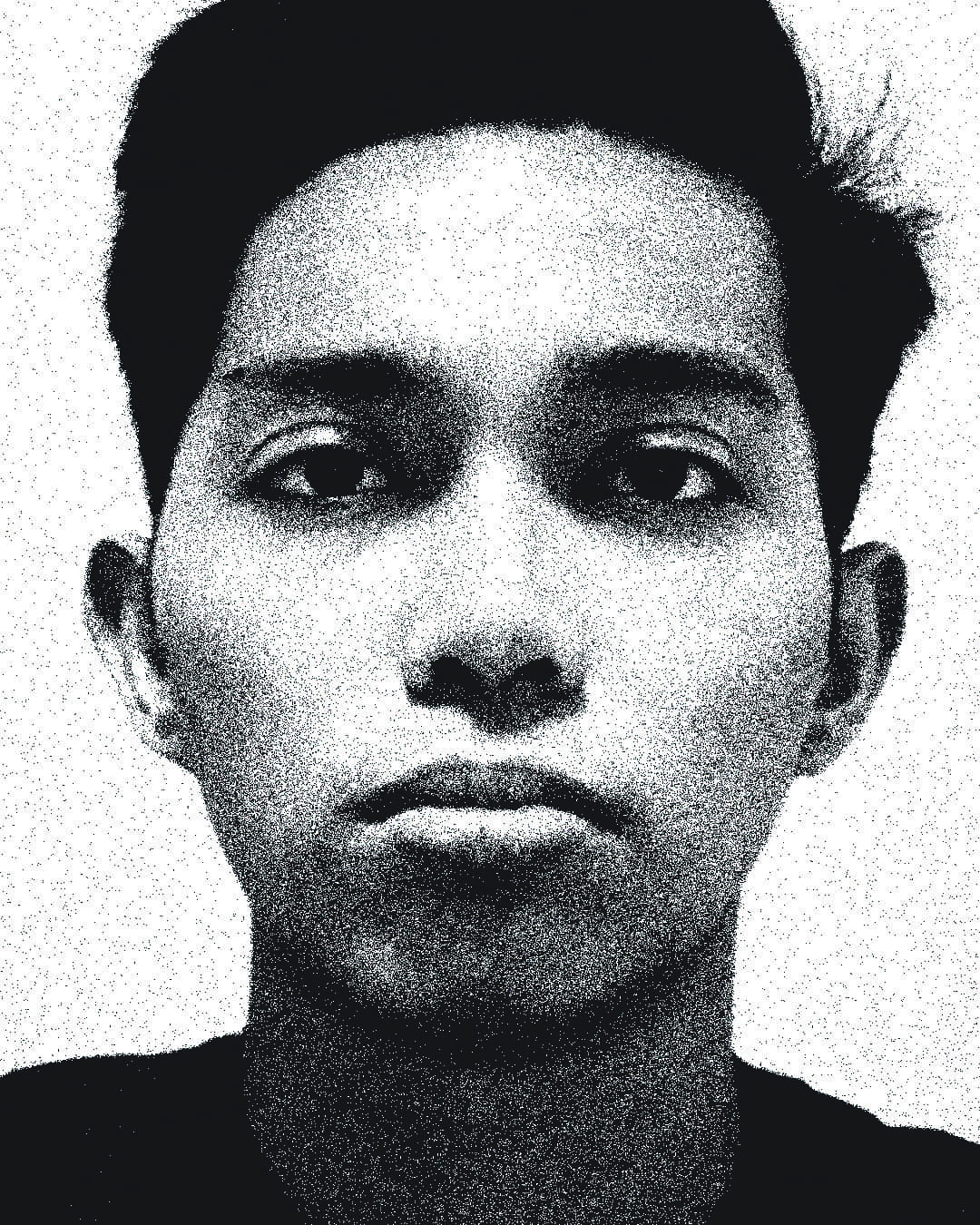
④ Sadness: Inner brows drawn in and up; lip corners turned down; lower lip pouts out.
Please don’t judge my sad face lol
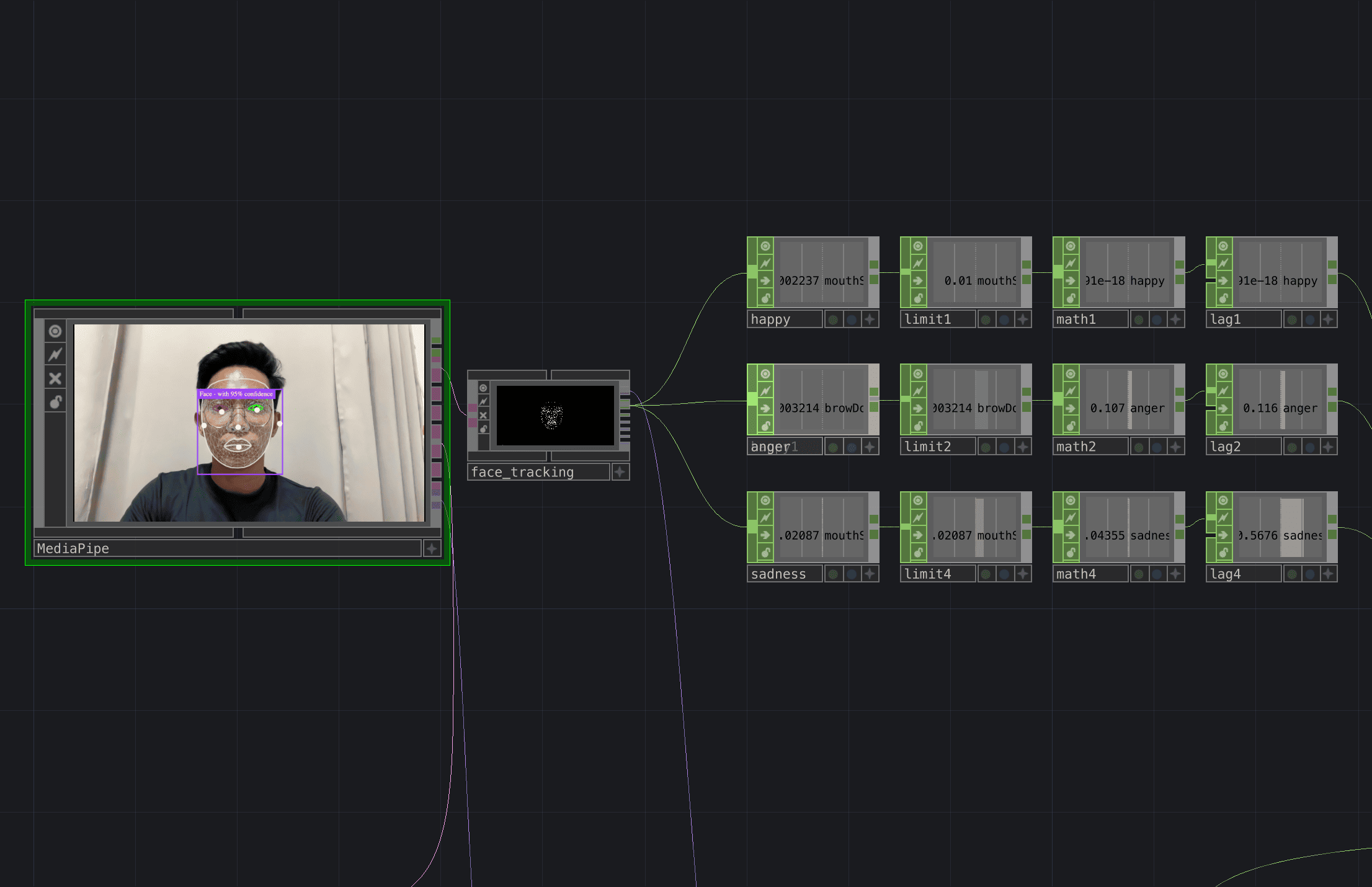
Using MediaPipe, I selected specific facial expressions to activate the visuals: ’mouthSmileLeft’ for happiness, ’browDownLeft’ for anger and ’mouthShrugLower’ for sadness.
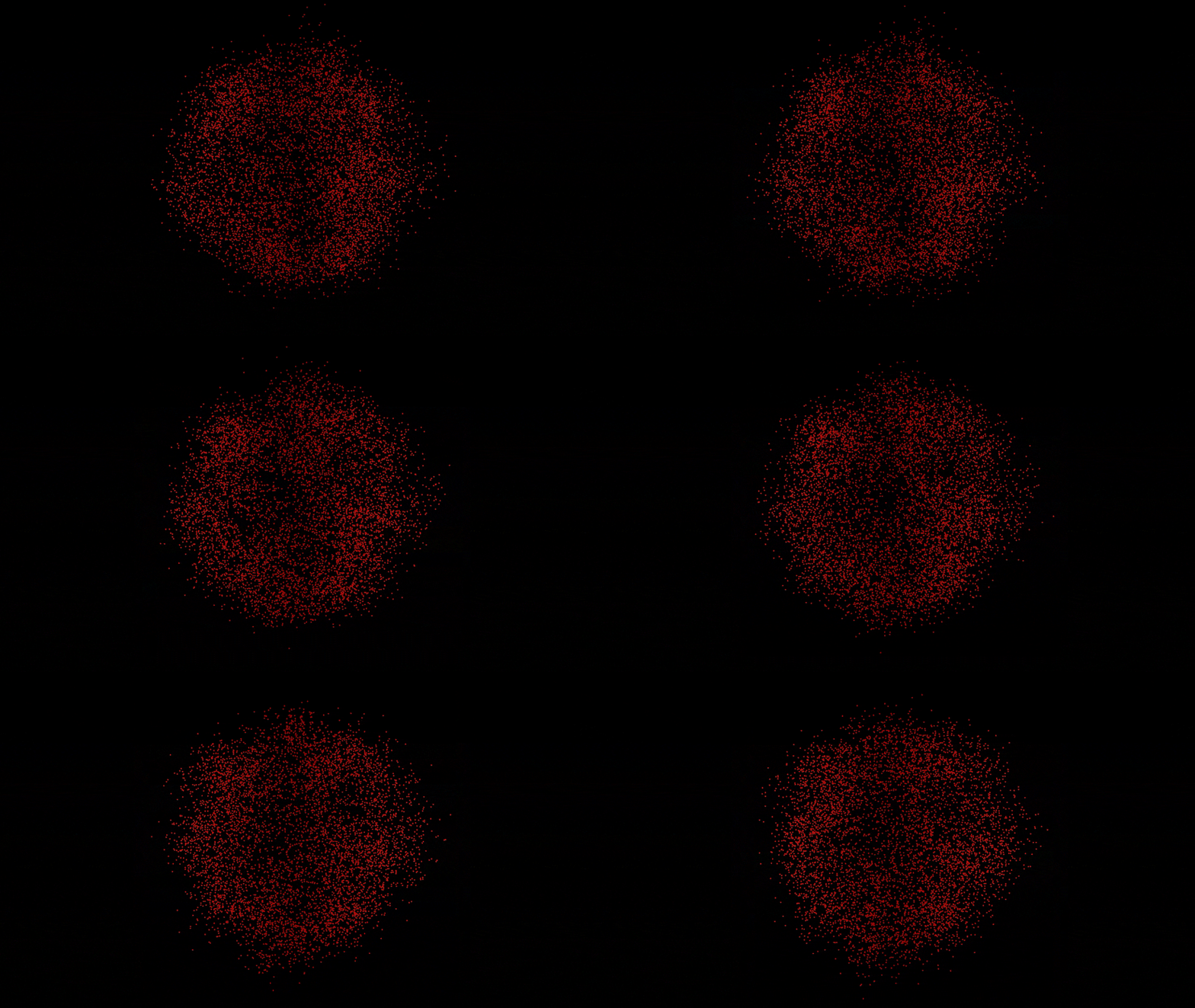
For the visuals, I worked with 3 different visual forms: a particle sphere, a line graph and a noise pattern. Each form will change into different iterations to match the behaviour of the emotions in terms of colour and motion.
A major technical challenge I encountered was creating smooth transitions between emotions. The Switch TOP in TouchDesigner only performs hard cuts when changing channels, making the transition jarring. To solve this, I implemented a Feedback TOP to create a “fade in, fade out” effect between visuals. Although it is not a seamless morph, the transition now feels more organic.
Once the transitions were working, it was time to layout the visuals into the interactive screen format. I think this was the easiest part of the entire process — aligning the camera input, layering the visuals and adjusting the resolution. I also added in a grid overlay and subtle visual elements to give the interface a little bit of a techy look.
However, something felt missing — a sense of activation. I wanted users to physically engage with the mirror, rather than passively look at it. To enhance the interaction, I introduced a touch activation feature using the ‘Zig Sim Pro’ app. When the user interacts with a physical activator, the visuals are revealed, symbolising the system “scanning” their emotions. This small addition transformed the experience into something more performative and human-centred. In future iterations, I would like to translate this interaction into a physical computing setup using Arduino, further bridging the tactile and digital aspects of emotion recognition.
I will be continuing part two of this “task” next week. Stay tuned!